The mascot
larperCord has a mascot, and since 0.6.5 the main one is Terminal, with a >_ wink. It plays the opening while the app connects, naps where a list is empty, and can sit on your message box and react to what you do. Everything about it is in Settings → Mascot, where the corner mascot and its life of its own can be turned off.
Two mascots
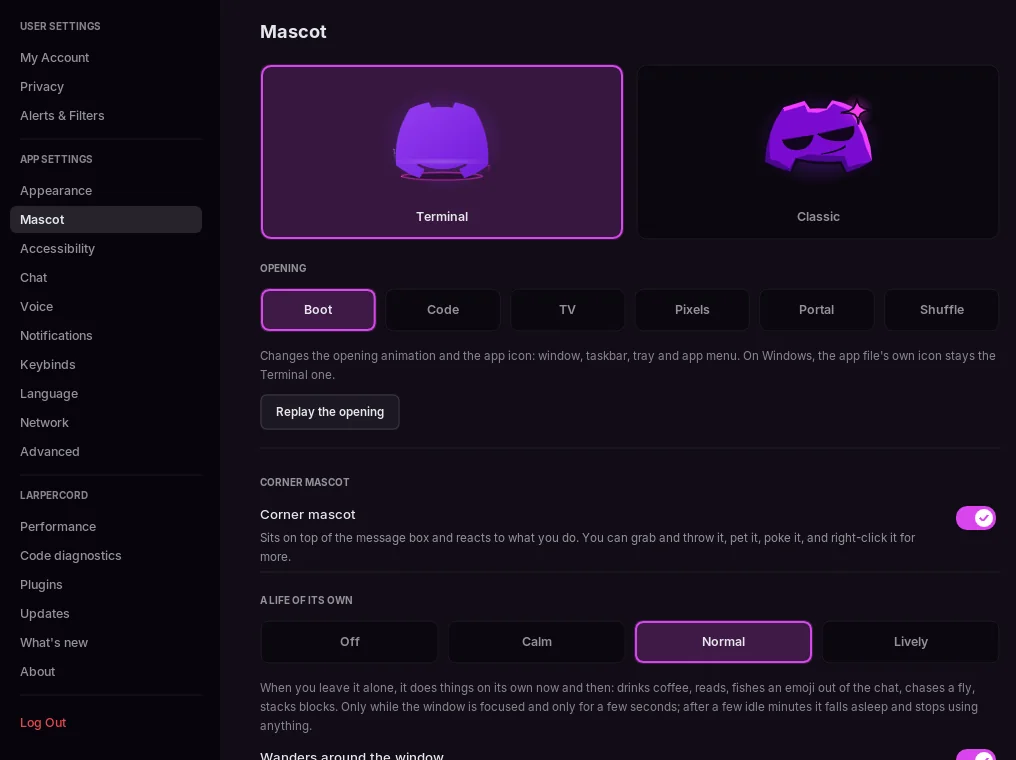
Settings → Mascot shows both, with a live preview: Terminal, the main one, and Classic, the one from before 0.6.5. The choice also changes the app icon wherever the app can: the window and the taskbar, the tray, Windows notifications and, on Linux, the app menu icon. On Windows, the icon of the .exe file itself stays Terminal.
The opening
While the app opens and connects, Terminal plays its opening: a terminal cursor blinks, a tube-TV line lights up and opens the body, the ears spring up, the face gets typed in (>, then a blinking _), it shows ... while connecting, and it switches off like an old TV as the app appears. The demo plays the whole opening too.
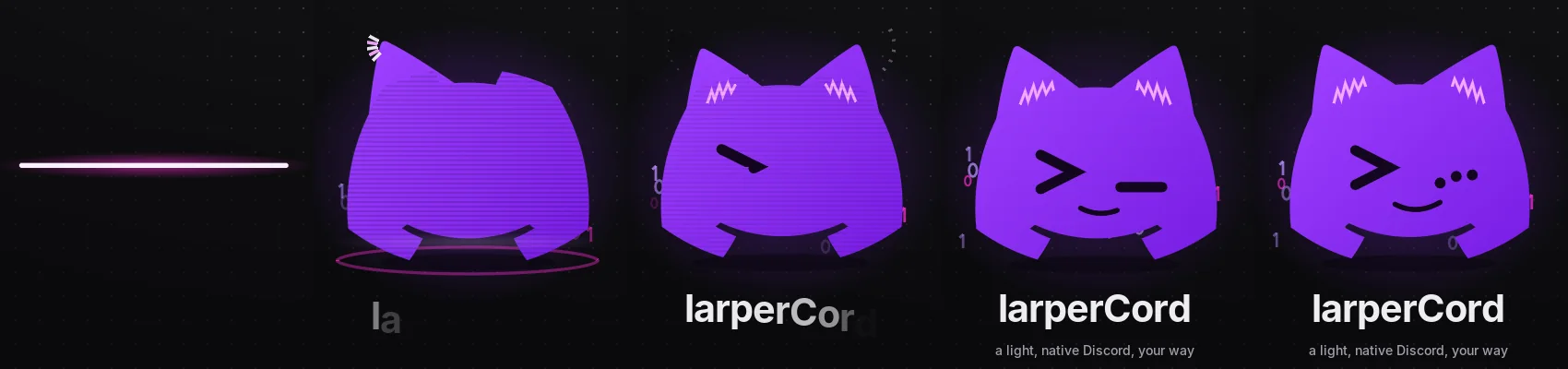
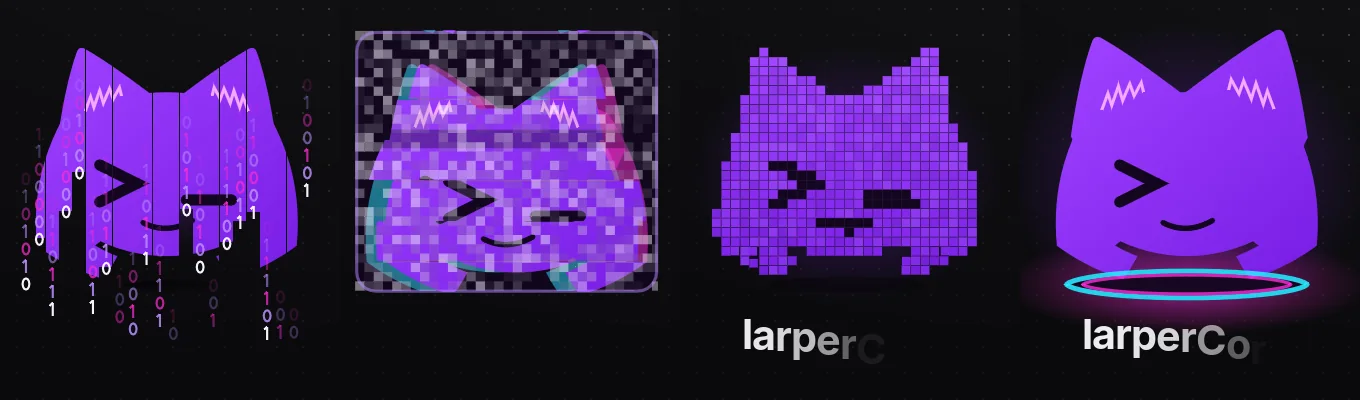
Terminal has four more openings, in Settings → Mascot → Opening: Code, TV, Pixels and Portal, or Shuffle for a different one each time. Replay the opening plays the chosen one again in the preview. Classic keeps the opening it had before.
Around the app
The mascot shows up asleep in an empty inbox, pins panel, saved messages and friends list, and while a conversation loads. Click it on the sign-in screen or in Settings → About and it reacts.
The corner mascot
Corner mascot (on by default) puts it on top of the message box, next to the GIF and emoji buttons.
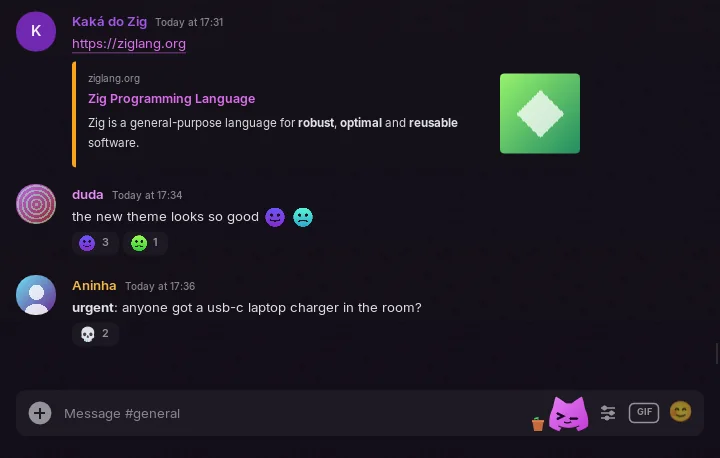
- Its eyes follow the mouse, it types along with you, hops when you send, and gets startled by a mention.
- It laughs, celebrates, gets sad or waves at what you write. That's worked out on your computer: nothing about it goes over the network.
- It falls asleep after a few minutes without you touching anything.
- Grab and throw it: it bounces off the window edges, gets dizzy and walks back.
- Hover over it slowly to pet it, double-click it for a trick, and poke it too many times and it sulks for a few seconds, a different way each time.
- In a call it puts on a headset, with tape over its mouth while you're muted.
- It catches fire when you type fast, gets dizzy when the conversation scrolls too fast, eats a file you drag into the window and worries when a message can't be sent.
- Late at night it has eye bags and yawns, in the morning it stretches, on some dates it wears a hat, and it takes the theme's accent color.
- It reacts to the emoji you add to messages and shows your status: a moon when idle, a sign on Do Not Disturb (mentions don't startle it then) and see-through when invisible.
Ctrl+Cmakes a clone,Ctrl+Zwalks it backwards,Ctrl+Fgives it a magnifier, and the mouse wheel over it tickles.- Right-click it for Do a Trick, Sleep, Hide for 1 Hour and Switch Mascot.
A life of its own
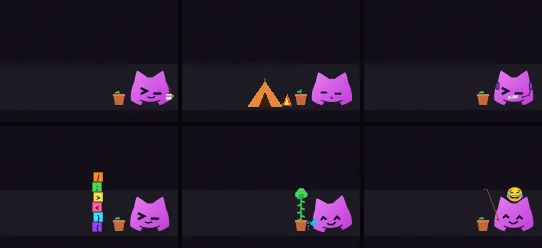
Left alone, the corner mascot does things by itself now and then. It drinks coffee, reads, plays a handheld, blows gum, whistles, exercises, chases a fly, fishes an emoji out of the chat's reactions, stacks blocks that fall on it when you move, doodles a heart in the message box until you type, and waters its little plant. A life of its own sets how often: Off, Calm, Normal (the default) or Lively.
Four switches choose what else it does. Wandering needs a life of its own on, and the other three only need the corner mascot:
| Switch | What it does |
|---|---|
| Wanders around the window | Sometimes it goes for a walk: it sits on the last message, climbs the member list, hangs from the header or peeks out from behind the channel list. It jumps along when you switch channels and peeks when you open a thread |
| Plays with the interface | It sits on the "is typing…" line, takes deleted messages to a trash can, erases edited ones, pushes the jump-to-present button, holds on (or falls) when you resize the window, and carries a letter to the DM icon when a DM arrives |
| Plays with the mouse | With the pointer resting near it, it tries to grab it. Resting on top of it, it sits on it, and falls when you move |
| Waits for you to come back | While the window is unfocused it waits for you. Gone for 20 minutes, it sets up a tent and a campfire. When you come back it packs up, runs to the mouse and, after hours away, says it missed you |
Little plant puts a pot next to it. The plant grows a bit each day you use the app, for 30 days, until it's a small tree. After a week away it wilts, until the mascot waters it. Settings → Mascot shows how many days it has grown.
Customizing the mascot
Settings → Mascot → Customize dresses up the Terminal mascot. A big preview shows the look, and the buttons under it switch the face (Normal, Happy, Laughing, Startled, Angry, Sad, Asleep, Dizzy) and put on the call headset and the mute tape, so you see how the parts combine.
- Ready-made looks: 16 complete looks, from Hacker to Little angel. Random look picks one that matches, Default goes back to the usual mascot and Undo takes back the last change.
- Eyes, Mouth, Hat, Accessories, Ears, Colors: a grid of pictures for each. 15 eyes, 16 mouths, 22 hats, 12 accessories (glasses and neckwear one at a time), 6 ear shapes, 14 palettes, or your own hex for each of the five colors, or the theme's accent.
- The look shows wherever the mascot does: the openings, About, the empty lists and the corner mascot. With a hat picked, the corner mascot doesn't switch to the holiday hat; Holiday hats under Corner mascot turns those off. The Classic mascot stays as it is.
Mascot files
A mascot can also be a .kdl file in the mascots folder (~/.config/larpercord/mascots, or %APPDATA%\larpercord\mascots on Windows). It picks parts and colors like the customizer, or draws its own eyes, mouth and layers in front of or behind the body with shapes, one drawing per expression. Save as file writes the current look there and switches to it. Under Mascot files, pick a file or press Open folder; saving a file updates the mascot right away, and a file with a problem shows file:line:column on its card. The format is in Writing mascots, and mascots other people made are in the community mascot gallery.
What it costs
It only draws extra frames for a moment when something happens, and only while the window is focused. Its life of its own starts after 8 seconds without you touching anything and stops when it falls asleep, after a few idle minutes. Measured on the demo, that's about half a percent of one CPU core while it's awake and idle. The idle CPU numbers in Performance come from a window on a hidden workspace, which doesn't have focus, so they don't include the mascot.
To make it lighter, set A life of its own to Off or turn off Corner mascot.