
Feature tour
Everything here works in demo mode, except where it needs the real network. For what's missing or partial, see Status and roadmap.
Conversations
- Messages: send, edit (
↑in an empty box edits your last one), delete, and pending messages confirmed by the server. Messages are grouped, with day separators. - Replies, with the little curve and a click that jumps to the original.
- Reactions, an emoji picker and a hover action bar on every message.
- Text selection across several messages with the mouse, then
Ctrl+C. - Multi-line composer: wraps long text and grows up to 10 lines.
Entersends andShift+Enteradds a line. - Drafts per channel: unsent text comes back when you return to the channel, even after closing the app.
- History loads as you scroll up, without jumping the screen, on a virtualized list.
- System messages: joins, calls, pins, boosts.
- Message log (optional): deleted messages stay on screen, marked, and edits keep the original. Local only.
Threads and forums
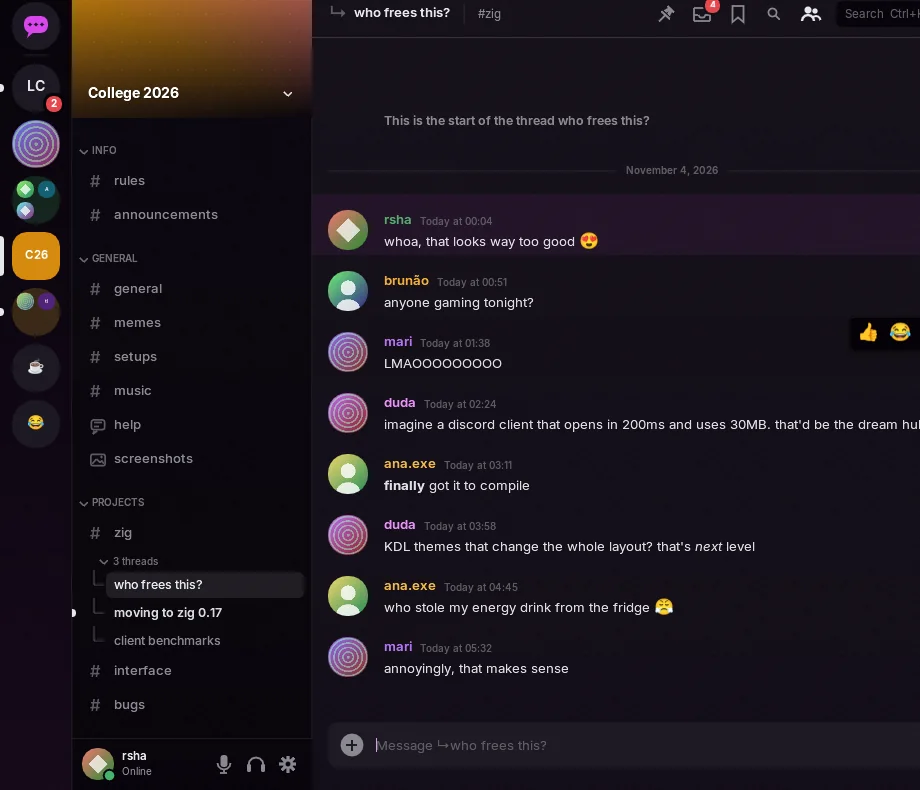
- Threads sit under their parent channel, collapsible and with unread counts. They open like any conversation, with tabs, split view, drafts, cache and search.
- The message that started a thread shows a card with the message count and the last activity. Creating, joining and leaving threads, and the archived ones, are in the menu.
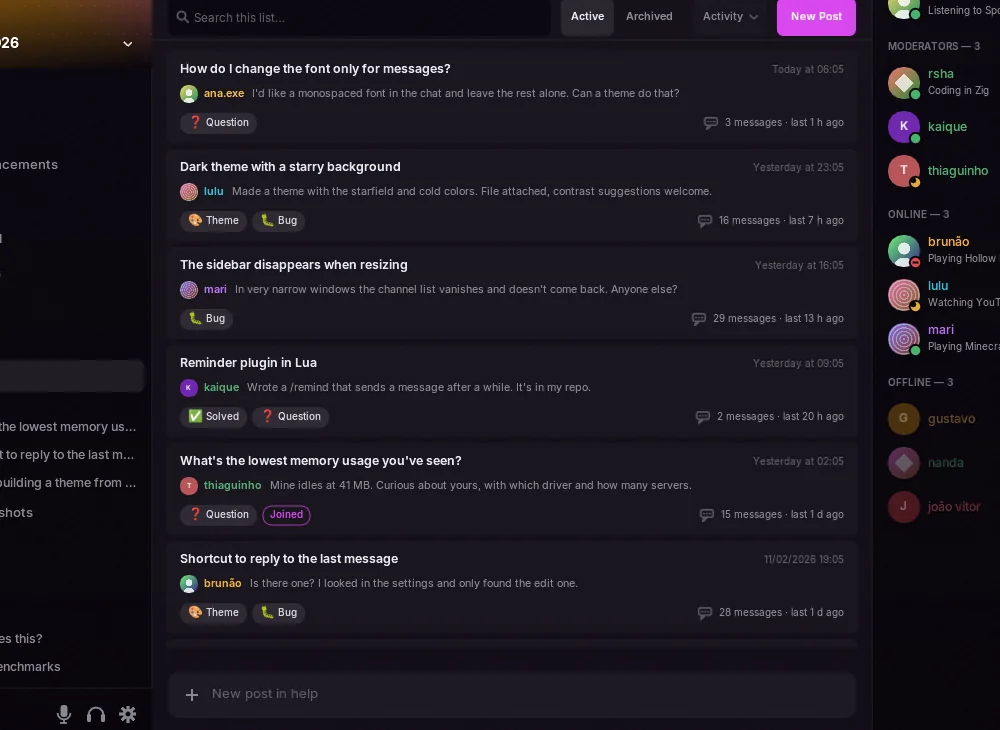
- Forums and media channels show their list of posts instead of a conversation, with local search, sorting by activity, more pages on demand and New Post with title, tags and text.
- Permissions come from the parent channel, and the member list shows who's in the thread.
Emoji and autocomplete
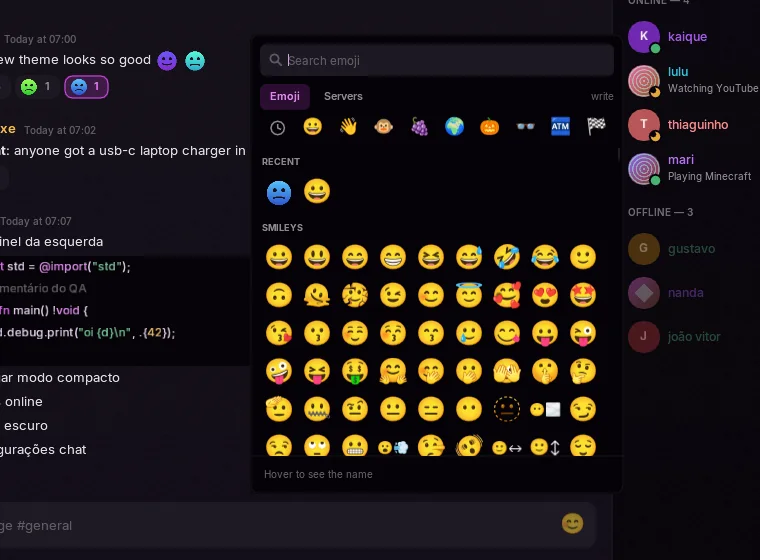
- Custom emoji show as images, animated ones too, large when a message is only emoji, and in reactions. PNG, APNG and GIF stickers show as images.
- The picker has the full Unicode list, search in Portuguese and English, recents and your servers' emoji, and it warns when an emoji needs Nitro.
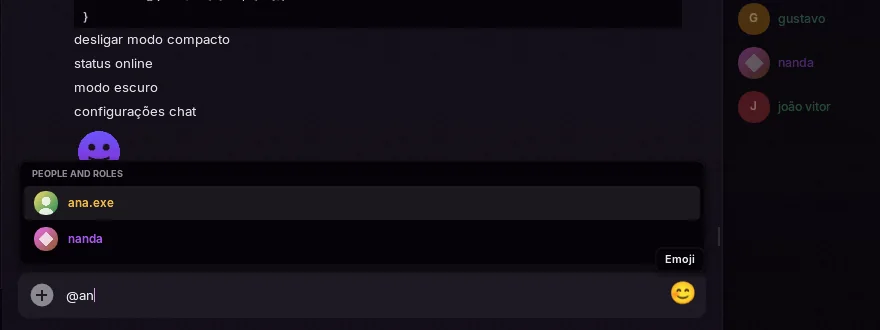
- Autocomplete: in the text box,
@,#,:aband/open a list. Use the arrows, thenTaborEnter,Escor a click. Names with spaces become real mentions when you send. - Data saver shows custom emoji as
:name:and downloads nothing.
Reading and pins
- Read state synced with Discord: unreads and mentions are right when you open the app, and reading on another device clears them here. Read confirmations work like the official client's, at most one per channel every 3 seconds, and none on its own while the window is unfocused.
- Mark as read per channel and per server, and mark as unread from any message.
- The new messages line comes with a button that jumps to the first one. Channels open at the first unread, which you can turn off in Settings → Chat.
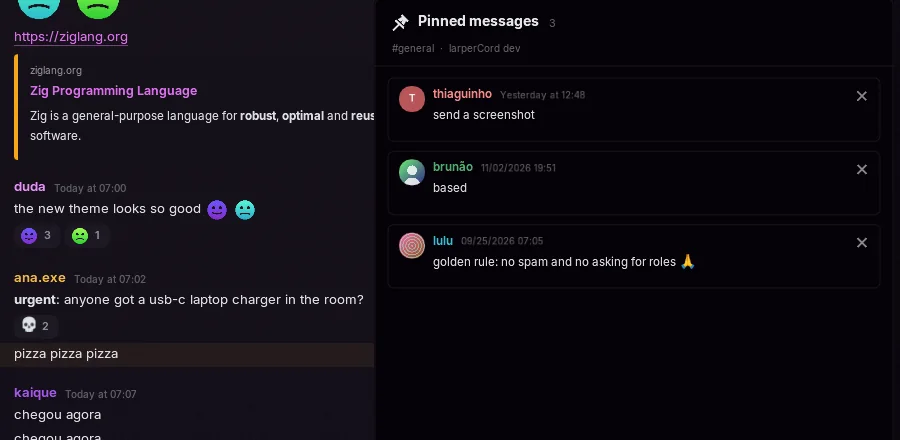
- Pinned messages: the pin icon in the header, and pin or unpin from the menu. Jumping to any old message loads the history around it, with Jump to present to come back.
- Discord links open in the app, including
ptb.andcanary.ones. Invites become a card with the server and its members, and open in the browser, since the app doesn't join servers. - Clicking
@someoneopens their profile, clicking#channelopens the channel, and hovering a timestamp shows the full date.
Markdown
Bold, italic, strikethrough, code, spoilers, <@id> and <#id> mentions, links and color emoji. Code blocks get highlighting in the theme's colors from the block's label (zig, c/cpp, js/ts, py, rust, go, sh, json, lua, java/kotlin, c#, diff) and a Copy button. Optionally, a live preview sits above the composer while you type.
Also: #, ## and ### headings, -# small text, > and >>> quotes, lists, and [text](url) links that show the real address on hover. Code blocks with more than one line have line numbers (they stay out of what you copy). While you type a block, a language server you choose can point out errors.
Bots and cards
Bots and webhooks carry a BOT tag next to the name, with a check mark for verified bots. Each webhook message keeps the name and picture it was sent with, and its card has no "Message" box, since a webhook isn't an account.
Embeds and Discord's newer component messages show text, thumbnails, separators, galleries, files and link buttons. Text in them can be selected and copied with Ctrl+C. Forwarded messages and polls appear as cards; to vote, use Discord. Buttons that talk to a bot aren't supported yet, so they aren't shown.
Media
- Images and GIFs, with a fixed-size cache, full-screen view, and upload by picker, drag and drop or
Ctrl+V. WebP and animated PNG are decoded too. - Embeds as cards: color, author, title, description in markdown, fields, image, thumbnail and footer.
- Video in the chat for attachments and direct
.mp4/.webmlinks, through the system's FFmpeg, which is only loaded on the first play. Play and pause, a progress bar and sound, up to 854×480 at about 30 fps. Off-screen video pauses, and 30 seconds later everything is released. Without FFmpeg, it opens in the browser. - Data saver: images, avatars and attachments only download when you click.
Finding things
- Command palette (
Ctrl+K, orCtrl+Shift+Pfor actions first): fuzzy search over channels, DMs, servers, themes, status, settings pages and every toggle. - Search (
Ctrl+F): runs over memory and the local cache on every keystroke, with no internet. Results jump to the message.
| Filter | Finds |
|---|---|
from:name | messages by that person |
in:channel | messages in that channel |
has:link | messages with a link |
has:image | messages with an image (has:imagem also works) |
has:file | messages with a file (has:arquivo also works) |
"exact phrase" | that phrase |
Search ignores case and accents, so nao finds não.
- Inbox (
Ctrl+I): unread DMs and mentions from every server, grouped by channel, with previews, jump to message and "mark all as read". A second tab shows recent mentions from Discord. - Saved messages (
Ctrl+Shift+S, or right-click → Save message): up to 500, with a note of up to 1,000 characters. Stored only on your computer, and nothing goes to Discord.
Layout
- Tabs for open channels.
Ctrl+Clickopens one in a new tab, and middle-click closes. - Split view: "Open to the Side" in a channel's menu puts up to 3 conversations side by side, each with its own history and scroll position. The composer and header follow the focused pane.
- Resizable panels: drag the edge of the channel list, the member list or the panes of a split view. A double-click goes back to the theme's width. Your choice is saved, follows you between themes, and gives way when the window gets too small for the conversation; Settings → Appearance can reset it.
- Hide the member list or status bar in Settings → Appearance, and the conversation takes the space.
- Server folders from your Discord settings, updated live.
- Friends screen: requests, accepting them and starting DMs.
People
- Profile card with banner, accent color, bio in markdown, pronouns, mutual friends and servers, current game with elapsed time, and the call they're in, with a Join button.
- Full profile with tabs: activity, mutual friends and servers, connections, badges and your private note.
- See it bigger: click a profile banner or picture to open it in full. A server's banner opens the same way from the channel list, and the server and user menus have View Icon and View Picture.
- Status picker: online, idle, do not disturb, invisible.
- Roles: member list by role with real colors, and giving or removing roles when you have permission.
Attention
- Alert words count as mentions. Up to 64 words, matched as whole words, ignoring case.
- Word filter collapses matching messages behind a click, and they never notify.
- Ignore hides someone's messages locally, without blocking them.
- Focus mode: for 15 minutes, 30 minutes, 1 hour or until you turn it off, only DMs and mentions notify and mark unread.
- Desktop notifications through
notify-send, only while the window is unfocused, plus taskbar flashing. Muted channels never notify.
Channels you can't open
The app computes permission overwrites per channel the way Discord does (@everyone, your roles, you). A channel without access appears dimmed with a padlock and a hint, and clicking only tells you so, instead of asking the server. Voice channels you can't join get the same treatment.
Servers and groups
With the Manage Server permission, right-click the server to edit its name, description, icon and banner. Any member can rename a group DM and change its icon. Deleting a thread asks for confirmation and needs Manage Threads. A server's banner appears at the top of the channel list and on invite cards.
Calls
Real voice with end-to-end encryption, a per-person mixer, device picker, push-to-talk and filters. See Voice calls.
Network and languages
- Proxy for
http,https,socks5andsocks5h(Tor atsocks5h://127.0.0.1:9050), for external media only or for everything. - English and Portuguese across the UI, network notices, demo data and theme options. It follows your system by default.
Make it yours
- Themes rearrange the entire interface and reload on save. Themes with
palette "wal"follow your wallpaper through pywal, and thevidrotheme has a transparent background that your compositor blurs. - Plugins in Lua add panels, right-click entries, notes under messages, commands and keybinds. Scam guard, CVE radar, GitHub cards, what did I miss, translate, reminders, highlights, clean links, and links and files come with the app.
- Optional vim navigation: see Shortcuts.