Discord,without the browserinside.
A native client that sits around 130 MB of RAM with a real account and 0% CPU when idle. Its entire interface is one text file you can edit while it runs. Watch it rearrange.
Read this first: third-party clients break Discord's Terms of Service and your account can be banned, so use a secondary account. Demo mode needs no account at all.
And this is the real thing. Same data, same binary:
- RAM, real account
- ~130 MB
- idle CPU
- 0%
- themes
- 11
- electron
- 0
1,279 MB to say good morning.
An Electron client is a whole browser dressed up as an app. One square is 5 MB of RAM.
| Vesktop (Electron) | Discord Phoenix (Rust) | larperCord | |
|---|---|---|---|
| RAM (PSS) | 1,279 MB | ~290 MB | ~130 MB with a real account |
| CPU when idle | 12–47% | 0.1% | 0–0.4% |
| Binary on disk | 287 MB | not released | ~15 MB |
larperCord: 125–140 MB in one account's normal use and about 70 MB right after opening. Yours depends on your servers, members and images. Idle CPU was measured across all 11 themes with GIF autoplay off, and an animated GIF on screen costs about 2.5%. About 35 MB of the PSS is the NVIDIA driver, libraries and fonts. Vesktop: average since launch, measured with ps. Both on the same PC: Arch Linux, Hyprland, i5-2400S, GTX 1050 Ti, 1280×800. Discord Phoenix: not measured by us and not a side-by-side test. It's an early Windows 11 build, from a Task Manager screenshot posted by Discord's CTO. How this was measured →
The interface is a file. Go on, break it.
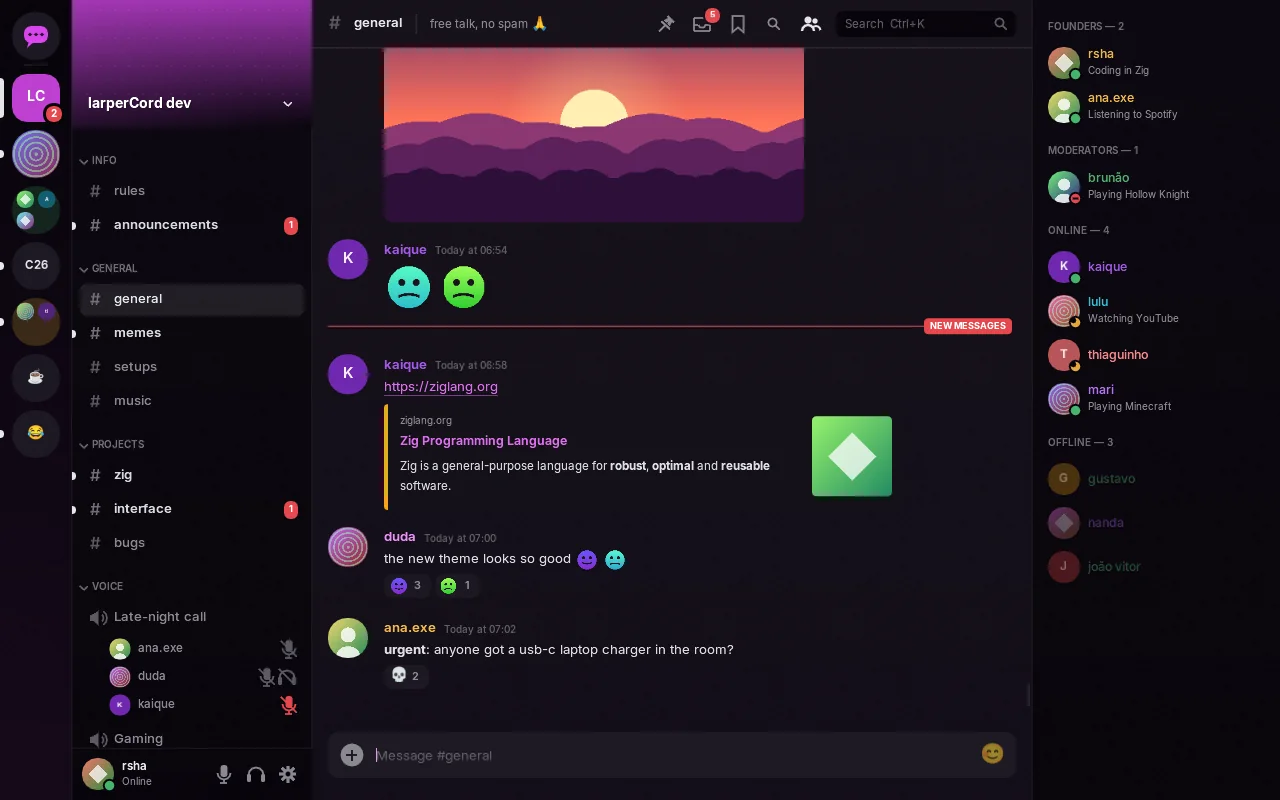
These are the real layouts from themes/*.kdl. Change a width, move a node, rename a component. In the app, saving the file reloads the window through inotify. An error points to file:line:column and the previous theme stays on screen.
Full theme language reference →
}Eleven themes. Not eleven color schemes.
Same binary, same data, different file. Components move, change shape and swap variants. Move your pointer across a screenshot to see light mode. Click one to dress this whole page in its colors (or press F2, like in the app).
It speaks the real gateway. It's a real client.
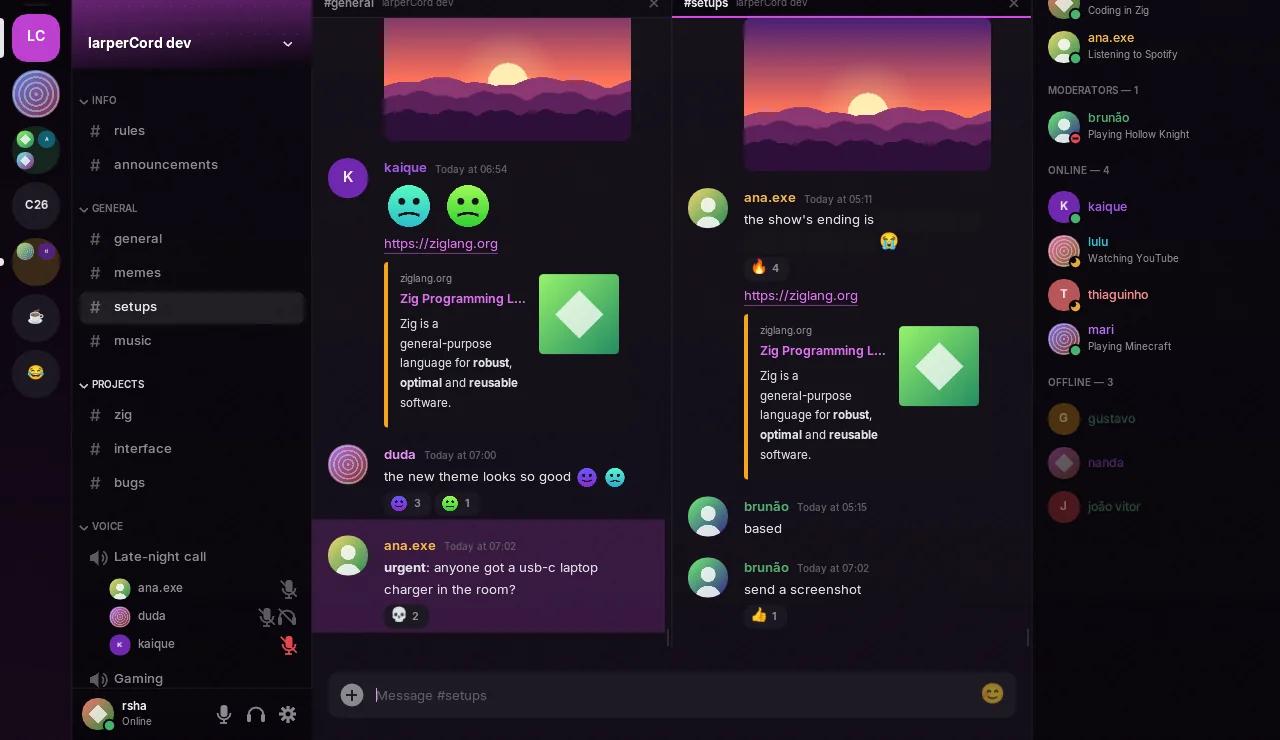
Split view
Up to three conversations side by side, each with its own history and scroll position. The composer follows the focused pane.
Threads and forums
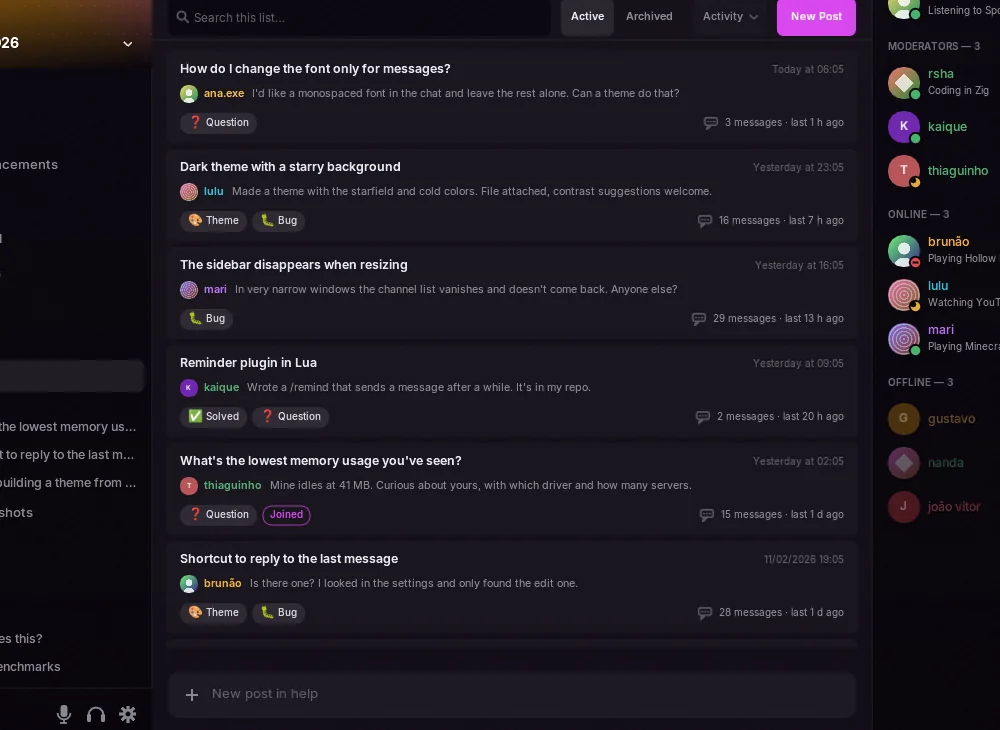
Threads nest under their channel and open like any conversation, with tabs, drafts and search. Forums show their posts instead of a chat, with tags and “New Post”.
Emoji and autocomplete
Custom emoji and stickers show as images, animated too. The picker has the full Unicode list and your servers' emoji. In the text box,
@,#,:aband/open a list.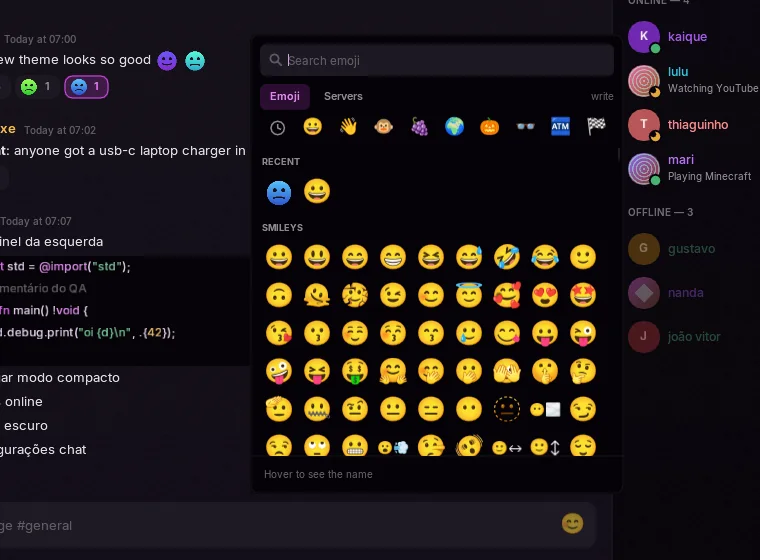
Read state, in sync
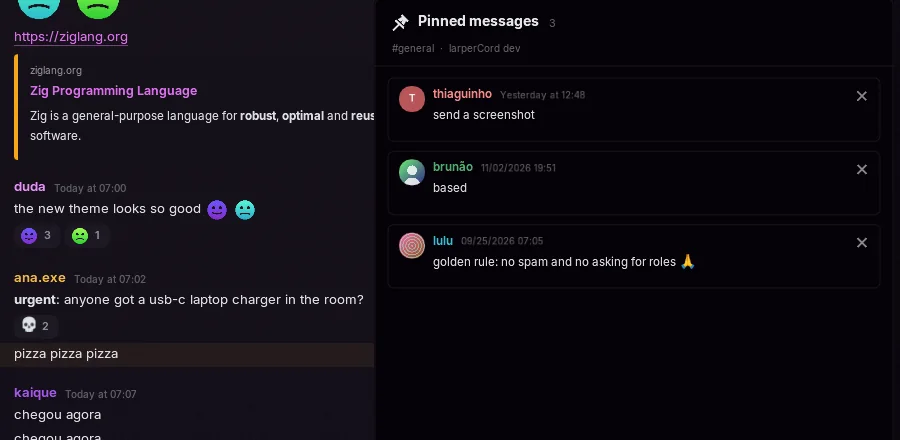
Unreads and mentions match Discord when you open the app, and reading on another device clears them here. Channels open at the first unread. Pins live behind the pin icon, and Discord links open in the app.
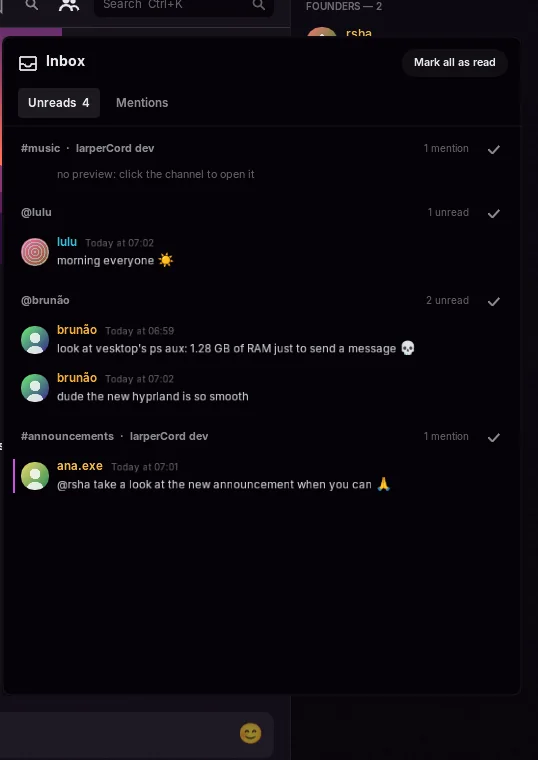
Inbox
Ctrl+I: unread DMs and mentions from every server, by channel, with previews and “mark all as read”.
Offline search
Ctrl+F searches memory and the local cache on every keystroke, no internet needed. Filters:
from:,in:,has:link,has:image,has:file.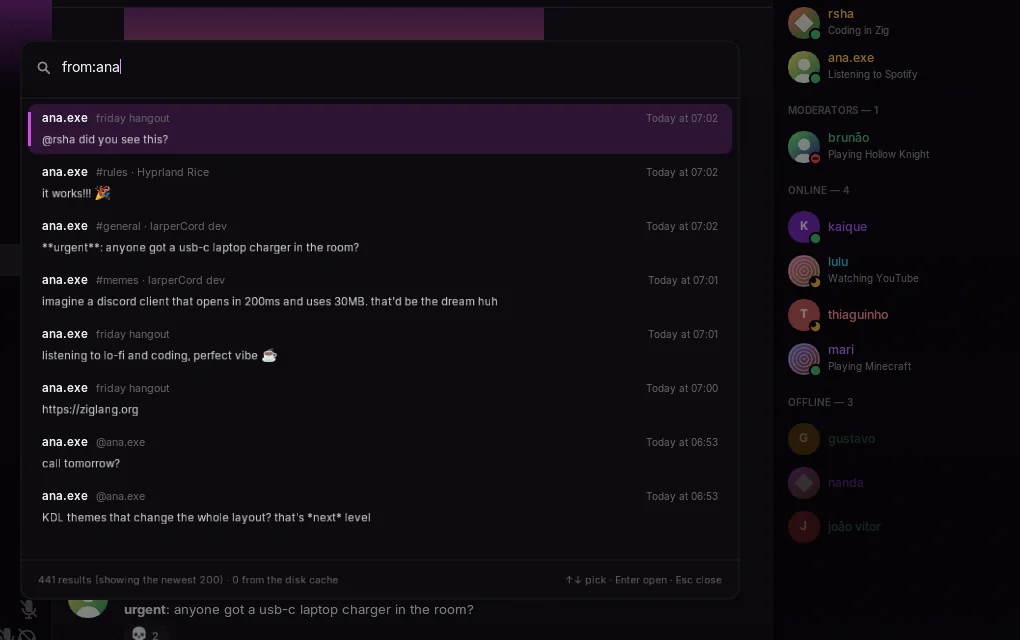
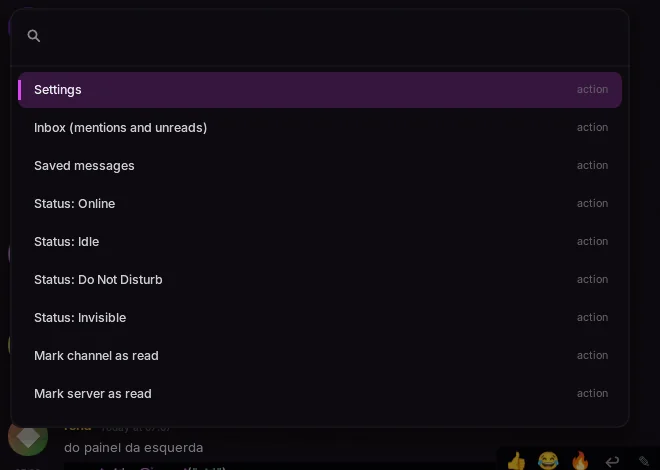
Command palette
Ctrl+K: fuzzy search for channels, DMs, servers, themes, status and every toggle. This page has one too. Try it.
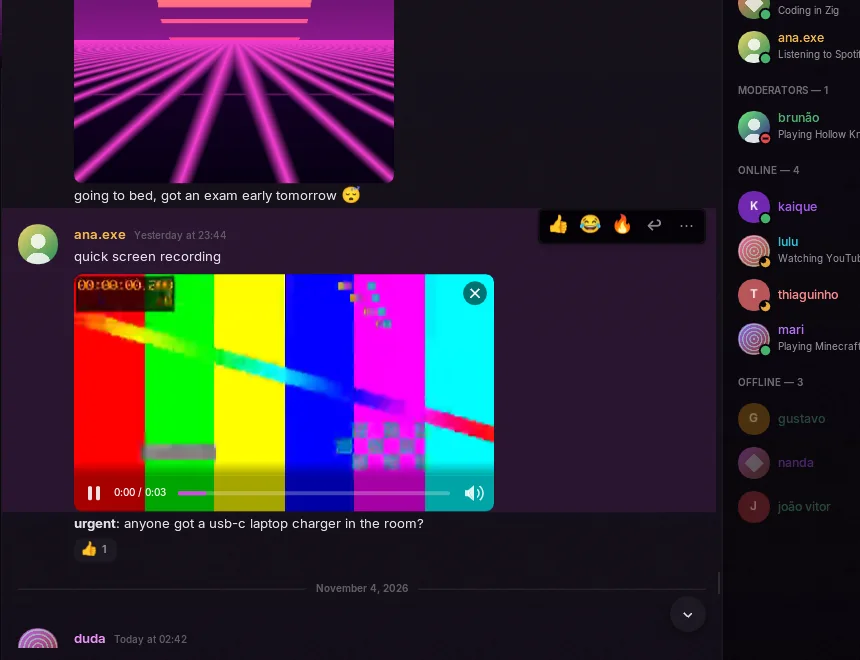
Video in the chat
Attachments and direct links play in place through your system's FFmpeg, loaded only on the first play. Up to 480p and about 30 fps. Without FFmpeg, the video opens in your browser.
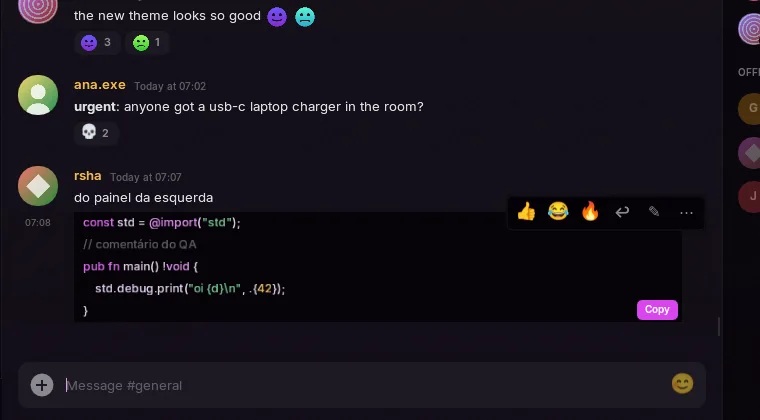
Code that reads like code
Discord markdown, parsed once when the message arrives. Code blocks get highlighting in your theme's colors and a copy button, and a live preview sits above the composer.
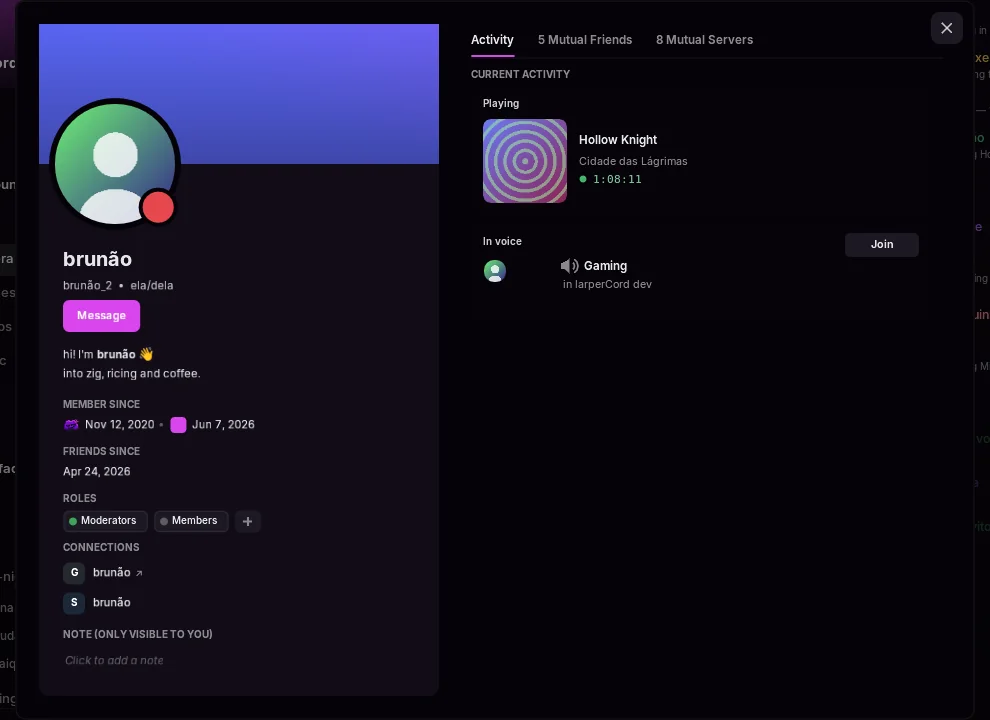
Full profiles
Banner, bio, activity, mutual friends and servers, connections, roles and a private note.
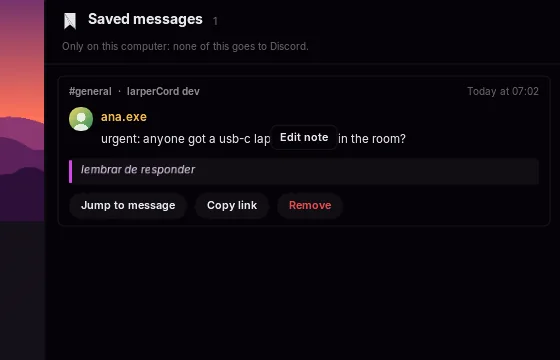
Saved messages, with notes
Ctrl+Shift+S: bookmarks that live only on your computer. Nothing goes to Discord.
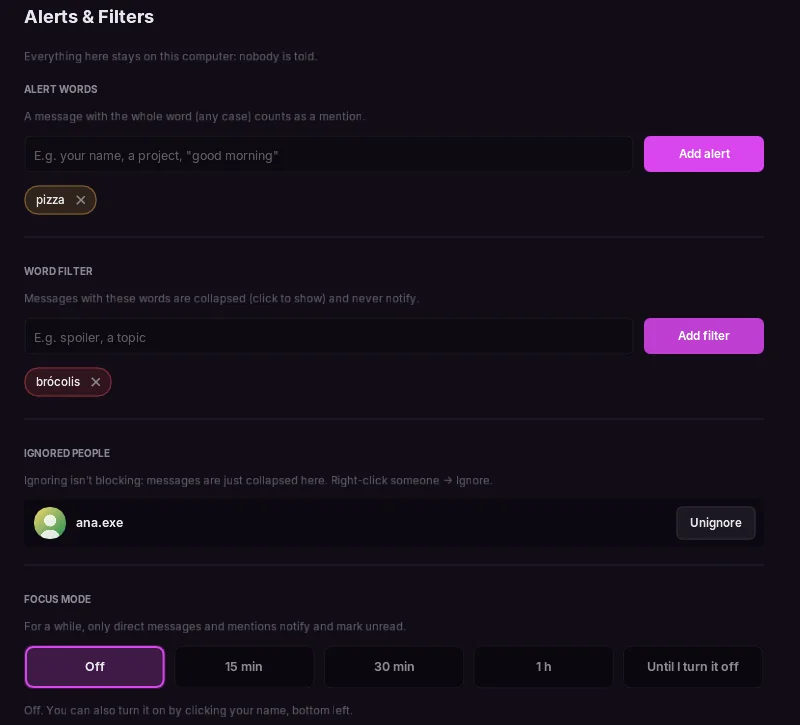
Alerts and filters
Alert words count as mentions, a word filter collapses messages, “ignore” hides someone without blocking them, and focus mode quiets everything but DMs and mentions. All local.
And the rest
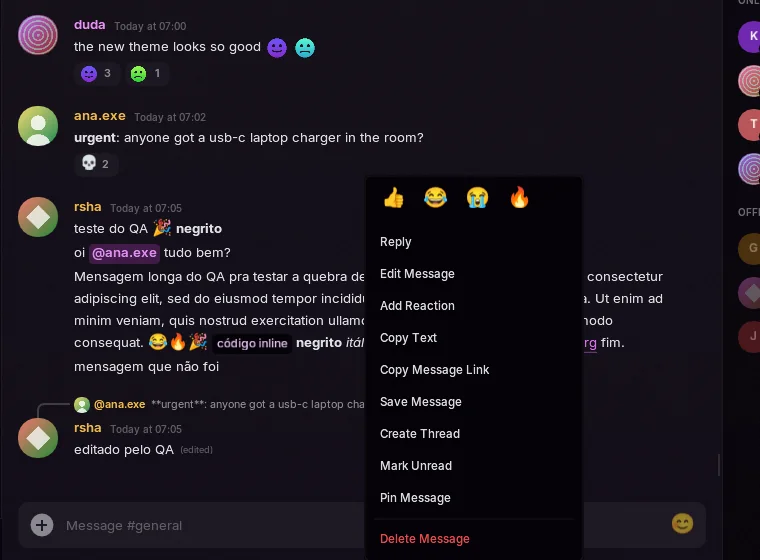
Replies, edits, reactions, right-click menus everywhere, multi-message text selection, images and GIFs, server folders, channel tabs, multiple accounts, drafts per channel, proxy and Tor support, English and Portuguese, optional vim keys. Full tour →
Real calls. Encrypted end to end.
aead_xchacha20_poly1305_rtpsize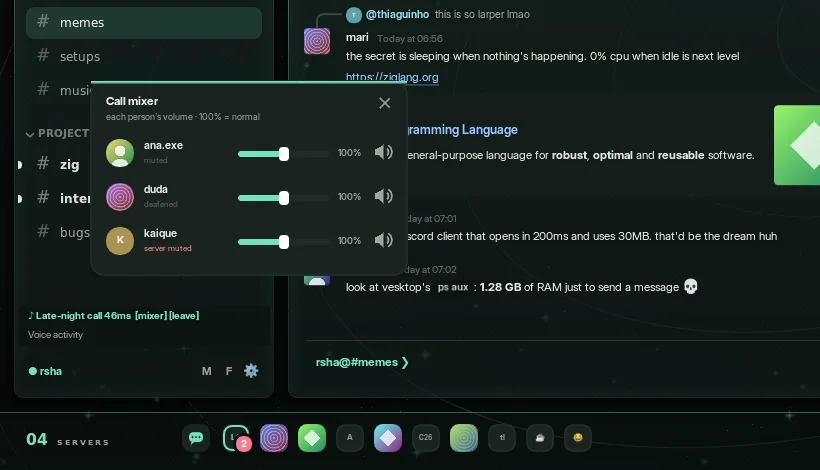
- A mixer with one volume per person. Each person is their own audio stream on the same output device.
- No call, no cost. The voice thread is only created when you join. Before that, audio only starts if you open the voice settings.
- Your mic, your rules. Pick your devices, even mid-call. Voice activity with an automatic threshold or push-to-talk, a high-pass filter, a noise gate and RNNoise noise suppression, a live meter and a mic test.
- Honest limits. Push-to-talk only works while the window is focused. No screen sharing or camera. Voice guide →
Lua, in a cage.
Drop a .lua file in ~/.config/larpercord/plugins/ to add panels, right-click entries, notes under messages, commands and keybinds, without recompiling anything. Scam guard, CVE radar, GitHub cards, what did I miss, translate, reminders, highlights, clean links, and links and files come with the app.
-- @name CVE notes
-- @capabilities messages, decorate, http
-- @hosts cveawg.mitre.org
larper.on("message", function(msg)
  local id = msg.content:upper():match("CVE%-%d+%-%d+")
  if not id then return end
  larper.http.get("https://cveawg.mitre.org/api/cve/" .. id, function(res)
    local cve = res.ok and larper.json.decode(res.body)
    local cna = cve and cve.containers and cve.containers.cna
    if cna and cna.title then
      larper.decorate(msg.id, { note = id .. ": " .. cna.title })
    end
  end)
end, { contains = { "cve-" } })- On a thread of their own. A slow plugin can't make the interface stutter. With no plugin on, the thread doesn't even exist.
- No files, no processes, no sockets.
io,os.execute,require,loadanddebugsimply don't exist. The only network is HTTPS to hosts you approve one by one, without your token or cookies. - About 5 million instructions per call. A
while true do endgets stopped and doesn't freeze the app.pcallcan't catch that. - 8 MB per plugin. Each one runs in its own Lua state. After 10 errors, it's stopped.
larper.sendonly works from your own gesture. Automatic replies would make your account a self-bot, so they're blocked by design. Plugin API →
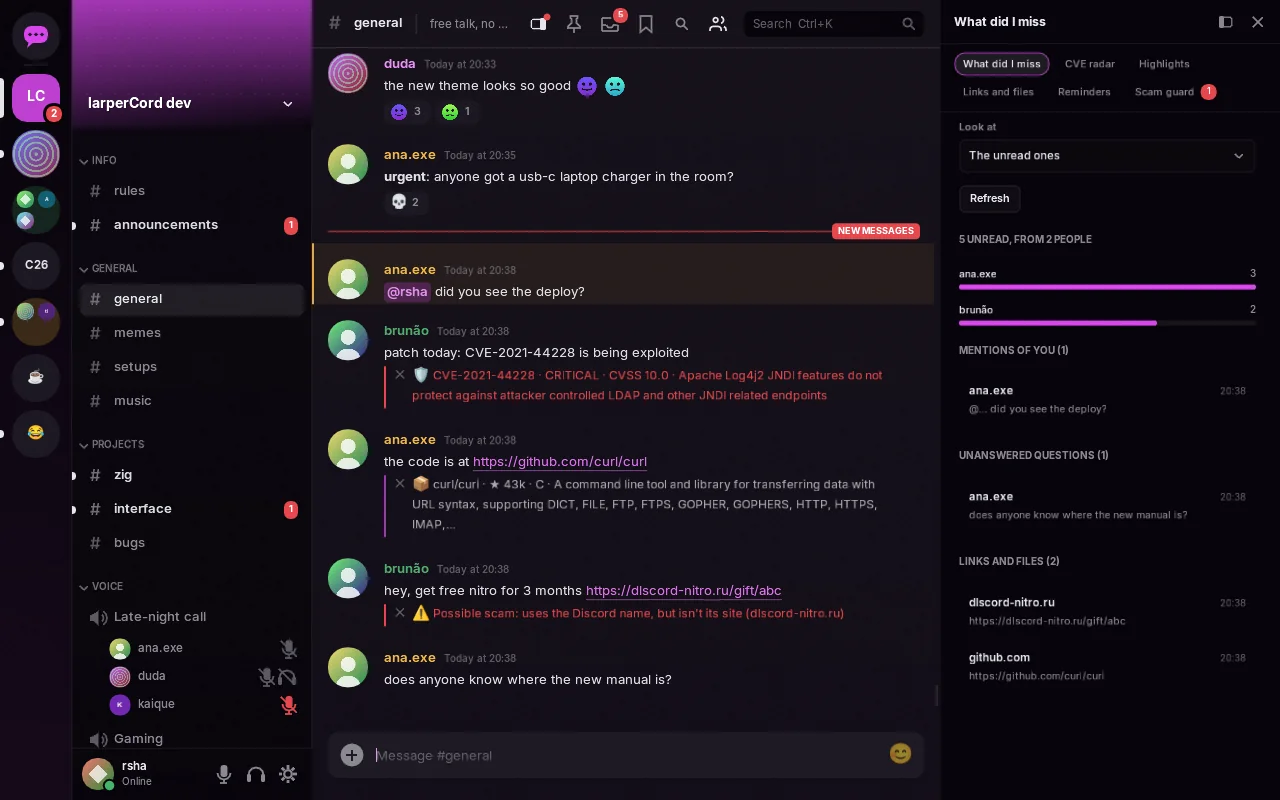
Demo data, but the CVE and GitHub notes are real answers from those services. Nothing goes out until you approve the host on the plugin's card.
- Scam guard. Free Nitro links,
dlscord-nitro.ru, addresses in another alphabet, a link that shows one site and opens another: marked in red. It runs on your computer, with no network. - CVE radar. Someone writes
CVE-2021-44228, and the severity, the CVSS score and a summary appear under the message, from the official record. - GitHub cards.
owner/repo#123and GitHub links get the title, the state and the stars. A renamed repository shows its current name. - What did I miss.
/missedsums up the unread messages: who talked, who called you, which questions nobody answered, links and files, with a click to each one.
No magic. Ten boring decisions.
- It sleeps when nothing happens. The main loop waits in
SDL_WaitEvent. Network, inotify and the clock wake it up with events. No animation, no redraw. - No browser. Everything is drawn with Dear ImGui's
ImDrawListon top of SDL_Renderer. - Fonts are mapped, not copied. Each font file is one
mmapshared by every weight, so only the pages read stay in RAM. - Only the video driver it needs. On NVIDIA-only machines, glvnd would also load Mesa and LLVM for nothing. The app detects that and avoids it.
- Markdown is parsed once. When the message arrives. After that, the UI only lays out spans, with a height cache per width.
- A virtualized list. Binary search for the first visible item, then draw only what's on screen.
- Memory has ceilings. 1,500 messages per channel and 3,000 in total. Forgotten conversations get unloaded, and the image cache has a fixed 64 MB budget.
- fontconfig gets freed. After fonts are resolved:
FcFini, thenmalloc_trim. - No blinking cursor. A blinking cursor would keep the CPU awake for no good reason.
- Things start when you ask. The voice thread on your first call, FFmpeg on your first video. With no plugin on, there's no plugin thread and no Lua, and nothing is spent per message, key or frame.
The UI never changes data directly. It only reads the Store and asks for actions, which is why swapping the demo gateway for the real one doesn't touch the UI. Architecture →
}What works today. And what doesn't.
| Area | State | Detail |
|---|---|---|
| Messages, DMs, reactions, replies | works | Send, edit, delete, history, mentions |
| Images | works | Avatars and attachments, with a fixed-size cache |
| Video in chat | works | Attachments and direct links, needs system FFmpeg |
| Inbox, saved, offline search | works | All local, can be turned off and erased |
| Accounts, proxy, Lua plugins | works | |
| Threads and forums | works | Nested threads, forum post lists, creating threads and posts |
| Custom emoji, stickers, autocomplete | works | Animated too. The picker warns when an emoji needs Nitro |
| Read state, pins, Discord links | works | Synced with your other devices |
| Themes | works | 11 built-in, light and dark, reload on save |
| Voice | partial | E2EE, mixer, device picker, push-to-talk and filters work. Push-to-talk needs the window focused |
| Permissions | partial | Locked channels, voice, threads and forums are enforced. The composer in regular channels, reactions and the member list don't check yet |
| Notifications | partial | Through notify-send. Clicking doesn't open the channel, no system tray |
| Accessibility | partial | Font scale, reduced motion, keyboard palette. No visible focus or high contrast |
| Platforms | partial | Linux and Windows 10/11. Tested daily on Arch with Hyprland; Windows is new. |
| Joining servers by invite | missing | Invites show as a card and open in the browser |
| Screen sharing and camera | missing |
--demo, the app runs on fake data and connects to nothing.
Get it. Run it.
No account needed to look around: the demo mode connects to nothing. After that it updates itself, and every update is signed.
Linux x86_64
Download for Linux ↓A single file that runs on distros from about 2022 onward (glibc 2.34). Before each release it's opened on Ubuntu, Debian, Fedora, openSUSE and Arch. Make it executable with chmod +x and run it.
Or install it, listing any library that's missing:
curl -fsSL https://raw.githubusercontent.com/RshaCuDeVidro/larperCord/main/install.sh | sh
Windows 10 / 11, x64
Download for Windows ↓Unzip it and open larpercord.exe. The program isn't code-signed yet, so Windows may warn you the first time.
Or install it for your user, in PowerShell:
irm https://raw.githubusercontent.com/RshaCuDeVidro/larperCord/main/install.ps1 | iex
All versions and checksums · What changed
}Three commands. No account.
# Arch Linux
sudo pacman -S zig sdl3 freetype2 fontconfig curl zlib libwebp opus openssl \
    inter-font ttf-jetbrains-mono noto-fonts-emoji

# Build (Zig 0.17)
zig build -Doptimize=ReleaseFast

# Demo mode: fake data, connects to nothing
./zig-out/bin/larpercord --demo --theme subsolo
Prefer not to build? Download it for Linux or Windows.
The mascot has seen your RAM usage. It is not impressed.
Keep the mascot caffeinated.
larperCord is free and has no ads. It runs on about 130 MB of RAM. Its developer runs on coffee.