Network list
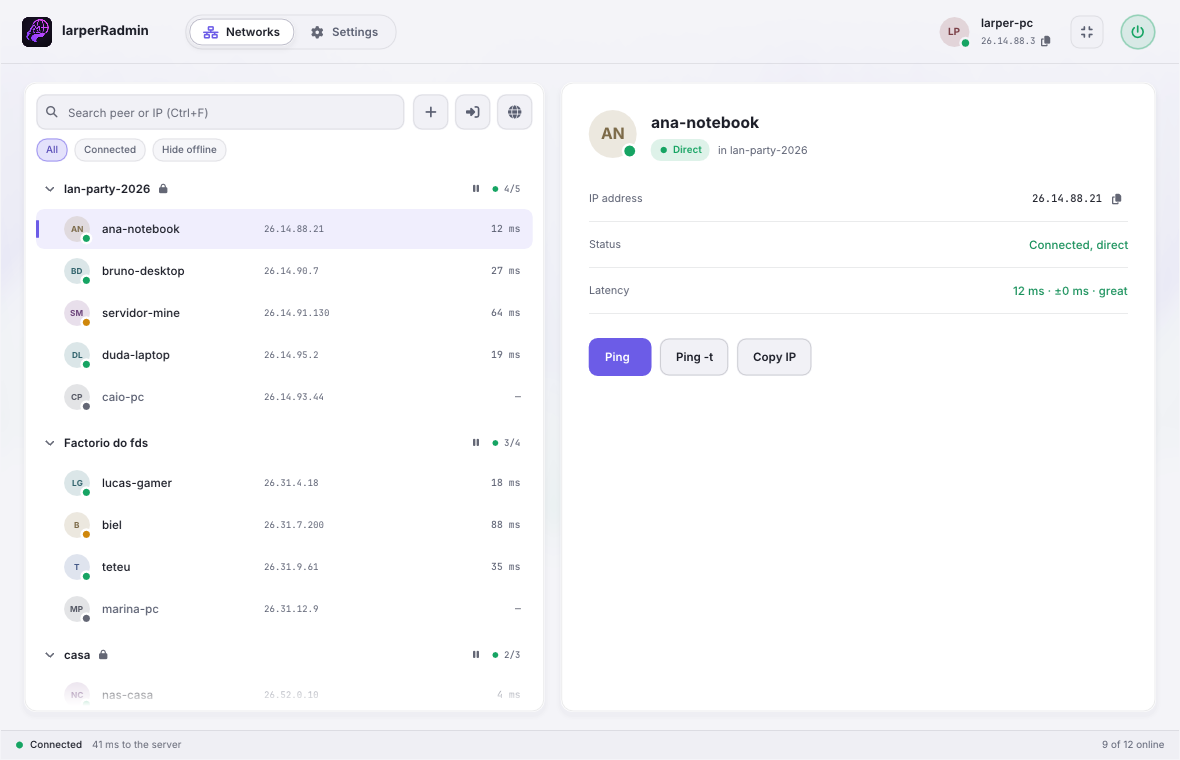
Every network and peer with its state: direct, relay, no tunnel or offline, plus live latency. Search by name or IP and hide who's offline.
larperRadmin is an independent, open-source client for Radmin VPN networks. It registers your computer on the real service, joins the same private and public networks as the official app and talks to the same peers, through the relay or directly over TCP and UDP.
A JavaScript sketch of the app's Activity map, with sample peers and made-up numbers. Click a peer, or pick one in the list, to ping it.
larperd engine and the larper-gui window
The engine does all the network work and holds the permissions. It has no GUI dependency and runs on its own as a service. The window has no special privileges: it talks to the engine over a local socket.
larper-guiGPL-3.0Native, built with LarperKit. Draws the state it gets from the engine and sends your commands back.
larperdMITKeeps the session with the service, joins networks, opens the channels to each peer and runs the virtual network interface.
26.x.x.xThe official servers and every peer on it: friends on the official app and other larperRadmin users alike.
It registers the computer, then joins, creates and leaves private and public networks on the official service. Friends on the official app show up as normal peers.
Peers talk over direct TCP or direct UDP. When there's no direct path, traffic goes through the service's TCP relay instead.
A virtual interface carries your 26.x address. Broadcast and multicast go through it too, so games can find each other like on a real LAN.
What it does today. No roadmap promises on this list.
Every network and peer with its state: direct, relay, no tunnel or offline, plus live latency. Search by name or IP and hide who's offline.
Pick a file with the system dialog or drag it onto a peer. Nothing lands without a yes on the other side, and nothing gets overwritten.
.part
3 checked with CRC32
4 delivery receipt comes back
Right-click to kick someone, make or remove an admin, delete the network, keep an allowlist or let a guest in for 2 hours.
Find public networks right from the join dialog, page by page.
Right-click a network to get an invite with a QR code, ready to share.
Give peers your own nicknames and star your friends. Both live only on your computer.
Reach peers as name.larper. Linux through systemd-resolved, after a one-time polkit permission; Windows through NRPT.
Broadcast and multicast travel over the virtual interface (TAP on Linux, Wintun on Windows), so games that scan the LAN find each other.
Spots Minecraft servers on your networks, Java and Bedrock, so the address is one click away.
Ctrl M turns the window into a small always-on-top game mode: favorites, connected peers and LAN servers, live ping, one-click copy. On Wayland, staying on top may need a compositor rule.
Marks the tunnel's traffic as Expedited Forwarding, so routers that honor DSCP can keep the game ahead of a big download.
A live force-directed map of who you're connected to and how, next to a feed of who joined, left or went direct. The map up top is a sketch of it.
An inbound firewall for peers you only share public lobbies with. Their file offers get refused too.
Export your identity under a password (Argon2id + AES-256-GCM) and bring it to another PC or a fresh install.
Optional and off by default: a local page you open on your phone. LAN-only, with an access key.
Close to the tray, hide to the background with Ctrl H or start minimized. The engine keeps going either way.
Seven themes, each in dark and light, in English or Portuguese. Press F2 to try them on this page.
No marketing here: if something hasn't been tested, this list says so.
ping friend.larper resolved to the friend's 26.x address and got replies.No. It joins the real Radmin VPN network, so they can keep the official app. Only file transfer needs larperRadmin on both ends.
No. It's an independent project, not affiliated with Famatech, and it doesn't ship any Famatech code or binaries.
Likely, at this stage. Open an issue with what you tried and what happened.
These are the app's real palettes, taken from its theme files. Pick one, or press F2, and the whole page switches, in dark or light.
On this page, Glass sits on a sample wallpaper. In the app, the window is see-through: your compositor blurs your real wallpaper and pywal colors tint the glass.
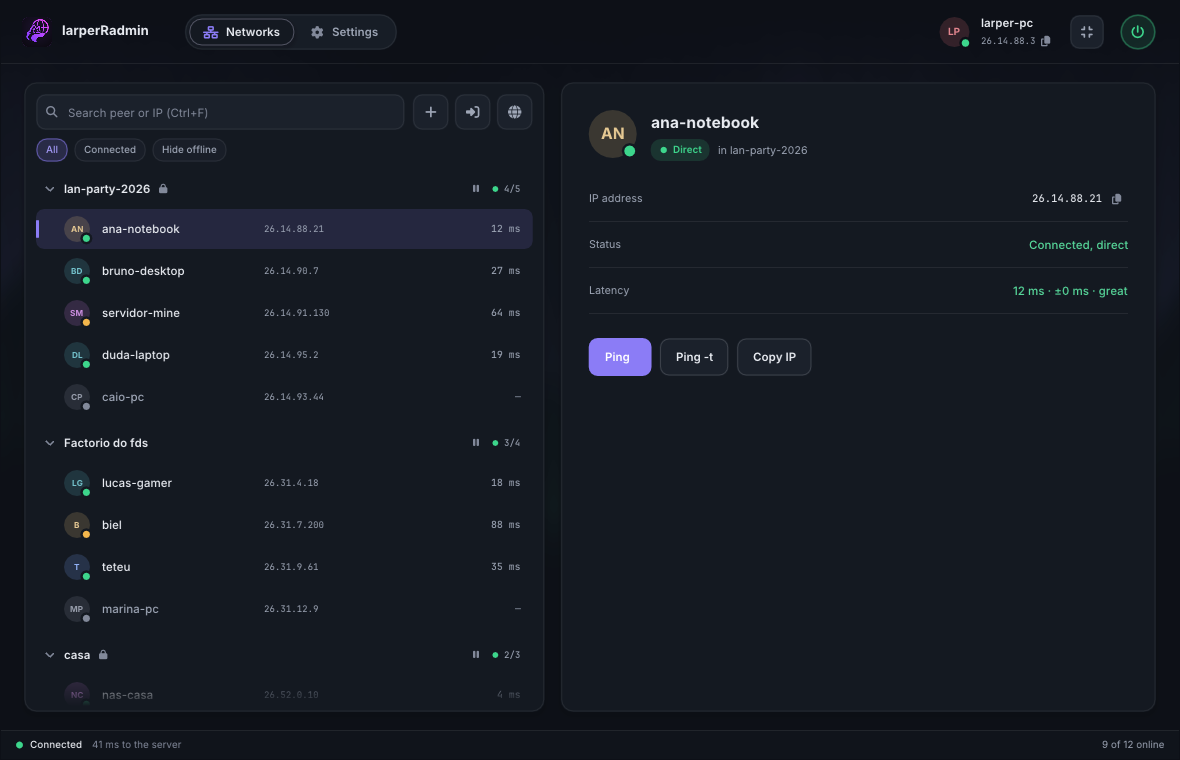
 violet · dark
violet · light
Captured from the app's photo mode with sample data. They follow the language you pick up top.
Both scripts download the latest package from GitHub Releases, so you don't need Zig. Or build it yourself.
$ curl -fsSL https://raw.githubusercontent.com/RshaCuDeVidro/larperRadmin/main/install.sh | sh/usr/local, asking for sudo when it needs to.larperd only the permission to create the virtual interface (CAP_NET_ADMIN).… | sh -s -- --uninstall. Your identity stays in ~/.config/larperradmin.PS> irm https://raw.githubusercontent.com/RshaCuDeVidro/larperRadmin/main/install.ps1 | iexC:\Program Files\larperRadmin, with a Start menu shortcut.$ git clone https://github.com/RshaCuDeVidro/larperRadmin
$ cd larperRadmin
$ zig build gui # window + engine
$ zig build larperd # just the engineCAP_NET_ADMIN for the virtual interface, again after every build: sudo setcap cap_net_admin+ep zig-out/bin/larperd